
Fotos: Michelle Alves e Renata Giron/Secom
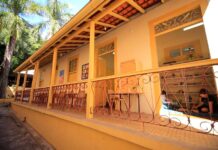
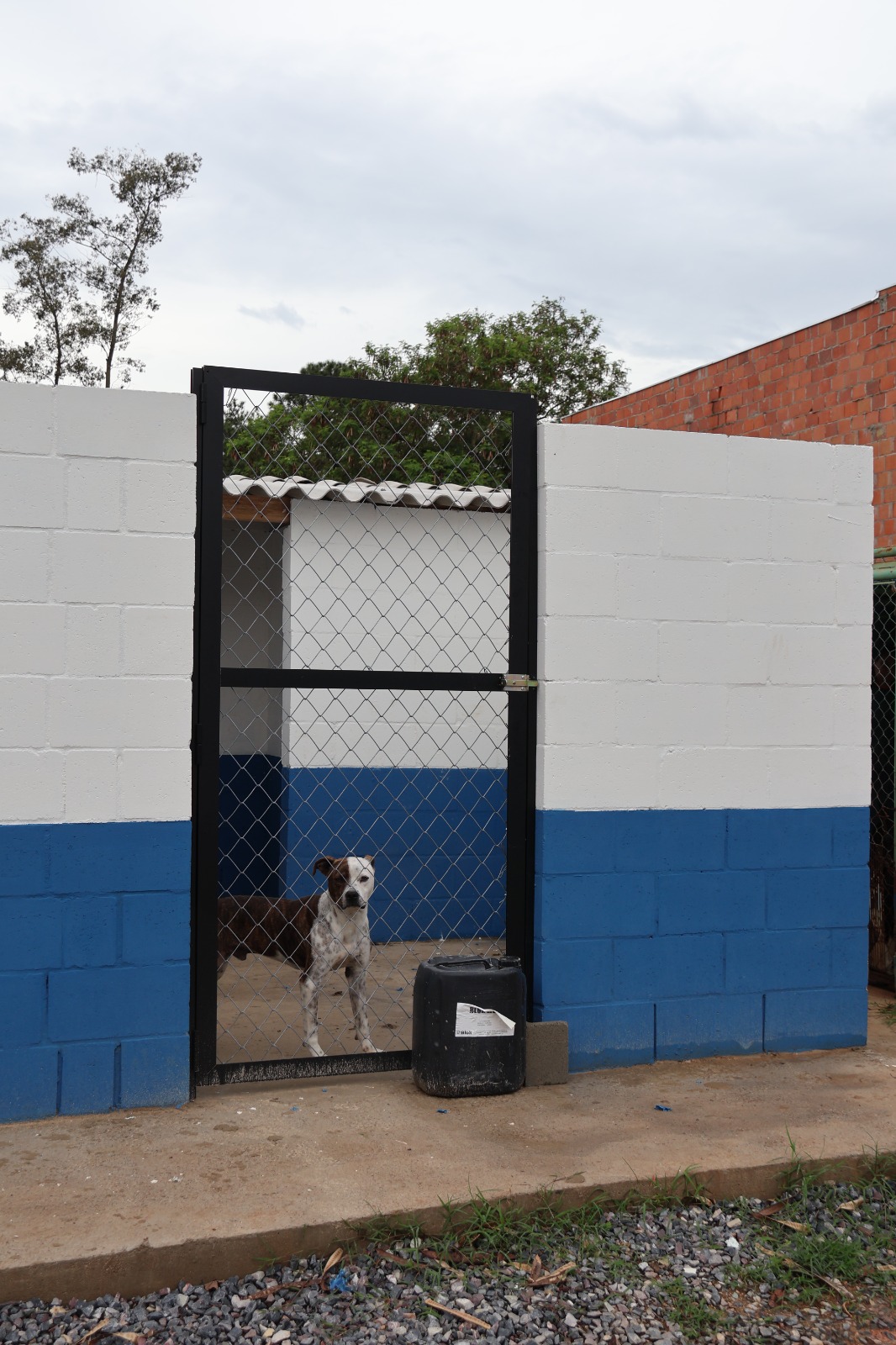
A Prefeitura de Sorocaba, por meio da Secretaria do Meio Ambiente, Proteção e Bem-Estar Animal (Sema), está na reta final das obras de reforma do Canil Municipal, localizado no Jardim Zulmira. As melhorias são necessárias para garantir a segurança e o conforto de cães e gatos abrigados temporariamente no local, reforçando o compromisso do município com o bem-estar animal.
Administrado pela Seção de Proteção e Bem-Estar Animal da Sema, o Canil Municipal abriga cães e gatos vítimas de maus-tratos ou ainda animais de rua que são atropelados, por exemplo. Lá, eles recebem todos os cuidados necessários, além de serem vacinados, castrados e microchipados, antes de serem disponibilizados para adoção responsável.
Desde a segunda quinzena de setembro, o espaço público já recebeu entrega de um novo módulo do canil, reestruturação das redes de esgoto e de drenagem de águas pluviais, estabilização do talude, concretagem e nova iluminação, além da reconstrução do muro da unidade que caiu em decorrência das fortes chuvas no mês de setembro.
O Município também realizou serviços de jardinagem e finalizou a construção de oito baias que estavam em andamento, para garantir melhores condições de acolhimento aos animais. Os trabalhos serão concluídos com a pintura interna e externa do Canil Municipal e o plantio de vegetação no talude para fixação do solo pelas raízes. Também está em estudo um novo projeto para ampliação.
O Canil Municipal está localizado na Rua Rosa Maria de Oliveira, 345, ao lado do Instituto Humberto de Campos, no Jardim Zulmira, e funciona de segunda a sexta-feira, das 9h às 16h. Mais informações pelo WhatsApp: (15) 99104-4258 ou pelo telefone: (15) 3202-8006. Os munícipes também podem conhecer animais disponíveis para adoção na rede social da campanha Divulga Pet: @divulgapetsorocaba.
element
// include only element nodes
if(figureEl.nodeType !== 1) {
continue;
}
linkEl = figureEl.children[0]; // element
linkEl = figureEl; // element
// console.log(linkEl);
size = linkEl.getAttribute(‘data-size’).split(‘x’);
// create slide object
item = {
src: linkEl.getAttribute(‘href’),
w: parseInt(size[0], 10),
h: parseInt(size[1], 10)
};
if(figureEl.children.length > 1) {
// content
item.title = figureEl.children[1].innerHTML;
}
if(linkEl.children.length > 0) {
// thumbnail element, retrieving thumbnail url
item.msrc = linkEl.children[0].getAttribute(‘src’);
}
item.el = figureEl; // save link to element for getThumbBoundsFn
items.push(item);
}
return items;
};
// find nearest parent element
var closest = function closest(el, fn) {
return el && ( fn(el) ? el : closest(el.parentNode, fn) );
};
// triggers when user clicks on thumbnail
var onThumbnailsClick = function(e) {
e = e || window.event;
e.preventDefault ? e.preventDefault() : e.returnValue = false;
var eTarget = e.target || e.srcElement;
var clickedListItem = closest(eTarget, function(el) {
return el.tagName === ‘FIGURE’;
});
clickedListItem = eTarget.parentNode;
if(!clickedListItem) {
return;
}
// find index of clicked item
var clickedGallery = clickedListItem.parentNode,
childNodes = clickedListItem.parentNode.childNodes,
numChildNodes = childNodes.length,
nodeIndex = 0,
index;
for (var i = 0; i = 0) {
openPhotoSwipe( index, clickedGallery );
}
return false;
};
// parse picture index and gallery index from URL (#&pid=1&gid=2)
var photoswipeParseHash = function() {
var hash = window.location.hash.substring(1),
params = {};
if(hash.length getThumbBoundsFn section of docs for more info
var thumbnail = items[index].el.getElementsByTagName(‘img’)[0], // find thumbnail
pageYScroll = window.pageYOffset || document.documentElement.scrollTop,
rect = thumbnail.getBoundingClientRect();
return {x:rect.left, y:rect.top + pageYScroll, w:rect.width};
},
shareButtons: [
{id:’download’, label:’Download image’, url:”, download:true}
],
// history & focus options are disabled on CodePen
// remove these lines in real life:
historyEnabled: false,
focus: false
};
if(disableAnimation) {
options.showAnimationDuration = 0;
}
// Pass data to PhotoSwipe and initialize it
gallery = new PhotoSwipe( pswpElement, PhotoSwipeUI_Default, items, options);
gallery.init();
};
// loop through all gallery elements and bind events
var galleryElements = document.querySelectorAll( gallerySelector );
for(var i = 0, l = galleryElements.length; i 0 && hashData.gid > 0) {
openPhotoSwipe( hashData.pid – 1 , galleryElements[ hashData.gid – 1 ], true );
}
};
// execute above function
initPhotoSwipeFromDOM(‘.pms-galeria’);
// All images need to be loaded for this plugin to work so
// we end up waiting for the whole window to load in this example
$$(window).load(function () {
$$(document).ready(function(){
collage();
$$(‘.pms-galeria’).collageCaption();
});
});
// Here we apply the actual CollagePlus plugin
function collage() {
$$(‘.pms-galeria img’).css(‘display’, ‘block’);
$$(‘.pms-galeria’).removeWhitespace().collagePlus({
‘fadeSpeed’ : 2000,
‘targetHeight’ : 150,
‘effect’ : ‘default’,
‘direction’ : ‘vertical’,
‘allowPartialLastRow’ : true
});
};
// This is just for the case that the browser window is resized
var resizeTimer = null;
$$(window).bind(‘resize’, function() {
// hide all the images until we resize them
$$(‘.pms-galeria .Image_Wrapper’).css(“opacity”, 0);
// set a timer to re-apply the plugin
if (resizeTimer) clearTimeout(resizeTimer);
resizeTimer = setTimeout(collage, 200);
});