Fotos: Renata Giron
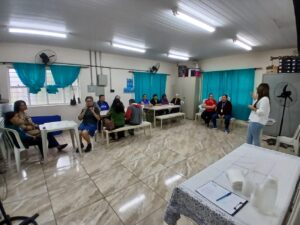
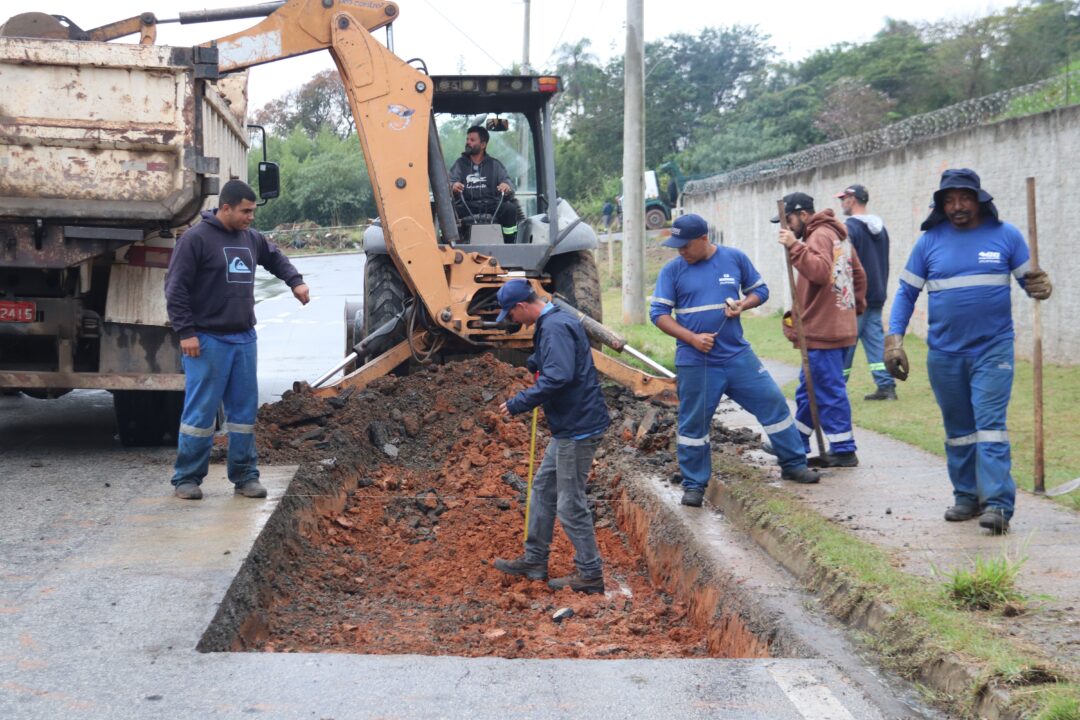
A Prefeitura de Sorocaba iniciou nesta quinta-feira (10) um mutirão de zeladoria e atendimentos aos moradores do Residencial Jardim Carandá, na Zona Norte. A iniciativa, que prossegue nesta sexta-feira (11), visa levar melhorias à região e facilitar o acesso da população aos serviços públicos.
As secretarias de Serviços Públicos e Obras (Serpo) e do Meio Ambiente, Proteção e Bem-Estar Animal (Sema) e o Serviço Autônomo de Água e Esgoto (Saae) desenvolveram trabalhos de roçagem, poda de árvores, cata-treco para o recolhimento de entulho e materiais inservíveis, limpeza de bocas e bueiros, entre outros voltados à conservação e manutenção dos espaços públicos.
No bolsão de estacionamento do Centro de Educação Infantil ‘Professora Helley de Abreu Silva’ (CEI 130), a Prefeitura disponibiliza atendimentos de serviços públicos, como o Médico na Praça, da Secretaria da Saúde (SES); a Van do Emprego, da Secretaria de Relações do Trabalho e Qualificação Profissional (Sert); o Cras Móvel, da Secretaria da Cidadania (Secid); a Casa do Cidadão Móvel, da Secretaria da Fazenda (Sefaz); o Procon Móvel e o Concilia Sorocaba, da Secretaria de Governo (Segov); atividades de lazer, da Secretaria de Cultura (Secult); além de uma unidade móvel da CPFL. Os trabalhos contam com apoio de agentes da Secretaria de Mobilidade (Semob) e da Guarda Civil Municipal (GCM).
O aposentado Nelson Aparecido Dias recorreu à Van do Emprego nesta manhã. Com mais de 10 anos de experiência na montagem e manutenção de máquinas e equipamentos frigoríficos, busca uma nova oportunidade profissional. “Quero continuar trabalhando: quando soube que tinha uma vaga na minha área, já trouxe o currículo”, comenta. Já a também aposentada Aparecida Juraci da Silva aproveitou o Médico na Praça para verificar sua saúde. “Foi fácil vir aqui, perto da minha casa, e gostei muito do atendimento”, afirma.
element
// include only element nodes
if(figureEl.nodeType !== 1) {
continue;
}
linkEl = figureEl.children[0]; // element
linkEl = figureEl; // element
// console.log(linkEl);
size = linkEl.getAttribute(‘data-size’).split(‘x’);
// create slide object
item = {
src: linkEl.getAttribute(‘href’),
w: parseInt(size[0], 10),
h: parseInt(size[1], 10)
};
if(figureEl.children.length > 1) {
// content
item.title = figureEl.children[1].innerHTML;
}
if(linkEl.children.length > 0) {
// thumbnail element, retrieving thumbnail url
item.msrc = linkEl.children[0].getAttribute(‘src’);
}
item.el = figureEl; // save link to element for getThumbBoundsFn
items.push(item);
}
return items;
};
// find nearest parent element
var closest = function closest(el, fn) {
return el && ( fn(el) ? el : closest(el.parentNode, fn) );
};
// triggers when user clicks on thumbnail
var onThumbnailsClick = function(e) {
e = e || window.event;
e.preventDefault ? e.preventDefault() : e.returnValue = false;
var eTarget = e.target || e.srcElement;
var clickedListItem = closest(eTarget, function(el) {
return el.tagName === ‘FIGURE’;
});
clickedListItem = eTarget.parentNode;
if(!clickedListItem) {
return;
}
// find index of clicked item
var clickedGallery = clickedListItem.parentNode,
childNodes = clickedListItem.parentNode.childNodes,
numChildNodes = childNodes.length,
nodeIndex = 0,
index;
for (var i = 0; i = 0) {
openPhotoSwipe( index, clickedGallery );
}
return false;
};
// parse picture index and gallery index from URL (#&pid=1&gid=2)
var photoswipeParseHash = function() {
var hash = window.location.hash.substring(1),
params = {};
if(hash.length getThumbBoundsFn section of docs for more info
var thumbnail = items[index].el.getElementsByTagName(‘img’)[0], // find thumbnail
pageYScroll = window.pageYOffset || document.documentElement.scrollTop,
rect = thumbnail.getBoundingClientRect();
return {x:rect.left, y:rect.top + pageYScroll, w:rect.width};
},
shareButtons: [
{id:’download’, label:’Download image’, url:”, download:true}
],
// history & focus options are disabled on CodePen
// remove these lines in real life:
historyEnabled: false,
focus: false
};
if(disableAnimation) {
options.showAnimationDuration = 0;
}
// Pass data to PhotoSwipe and initialize it
gallery = new PhotoSwipe( pswpElement, PhotoSwipeUI_Default, items, options);
gallery.init();
};
// loop through all gallery elements and bind events
var galleryElements = document.querySelectorAll( gallerySelector );
for(var i = 0, l = galleryElements.length; i 0 && hashData.gid > 0) {
openPhotoSwipe( hashData.pid – 1 , galleryElements[ hashData.gid – 1 ], true );
}
};
// execute above function
initPhotoSwipeFromDOM(‘.pms-galeria’);
// All images need to be loaded for this plugin to work so
// we end up waiting for the whole window to load in this example
$$(window).load(function () {
$$(document).ready(function(){
collage();
$$(‘.pms-galeria’).collageCaption();
});
});
// Here we apply the actual CollagePlus plugin
function collage() {
$$(‘.pms-galeria img’).css(‘display’, ‘block’);
$$(‘.pms-galeria’).removeWhitespace().collagePlus({
‘fadeSpeed’ : 2000,
‘targetHeight’ : 150,
‘effect’ : ‘default’,
‘direction’ : ‘vertical’,
‘allowPartialLastRow’ : true
});
};
// This is just for the case that the browser window is resized
var resizeTimer = null;
$$(window).bind(‘resize’, function() {
// hide all the images until we resize them
$$(‘.pms-galeria .Image_Wrapper’).css(“opacity”, 0);
// set a timer to re-apply the plugin
if (resizeTimer) clearTimeout(resizeTimer);
resizeTimer = setTimeout(collage, 200);
});